This post contains affiliate links. If you buy through our links we may earn a small commission — at no extra cost to you. This never influences our recommendations.
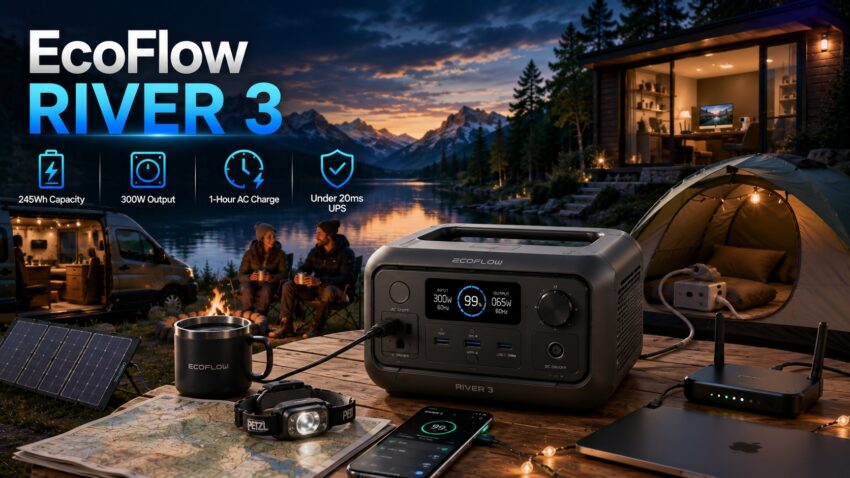
Search for “EcoFlow River 3 review” and you’ll find genuinely conflicting specifications across different sources — some cite 245Wh, others 286Wh; some cite 300W output, others 600W. This isn’t just sloppy reporting — a real product naming overlap is the cause. This review clarifies exactly what the base River 3 is, separates it clearly from the higher-capacity River 3 Plus, and covers what independent testing actually confirms.
River 3 vs River 3 Plus — Clearing Up the Confusion First
These are two different products in EcoFlow’s compact RIVER lineup, and a meaningful amount of online content conflates them — sometimes citing one product’s capacity alongside another’s output rating in the same article. Here’s the clear breakdown:
| Spec | River 3 (base) | River 3 Plus |
|---|---|---|
| Capacity | 245Wh | 286Wh |
| AC output | 300W continuous | 600W continuous |
| X-Boost surge | 600W | 1,200W |
| Weight | ~7.7 lbs | ~10.4 lbs |
| UPS switchover | <20ms | <10ms |
If you’re seeing a review citing 286Wh and 600W continuous output but calling it just “River 3,” that’s very likely describing the Plus variant, whether the article says so explicitly or not. This review covers the base River 3 specifically — the smaller, lighter, lower-output model in this pair.
Full Specifications — Base River 3
| Spec | EcoFlow River 3 |
|---|---|
| Capacity | 245Wh |
| Battery chemistry | LiFePO4 (LFP), 3,000+ cycle rating |
| AC output | 300W continuous |
| X-Boost surge mode | 600W |
| AC charge time | ~1 hour full charge via X-Stream fast charging |
| Solar input (max) | 110W |
| Weight | ~7.7 lbs |
| Weatherproofing | IP54 water resistance |
| UPS switchover | <20ms |
| Noise (fan) | Under 30dB — described as barely audible |
| Ports | 2× USB-A, 1× USB-C (100W), DC car outlet, 3-prong AC, 2-prong AC |
| App | EcoFlow app — remote monitoring, custom settings, firmware updates |
Real-World Tested Capacity — A Genuinely Honest Number
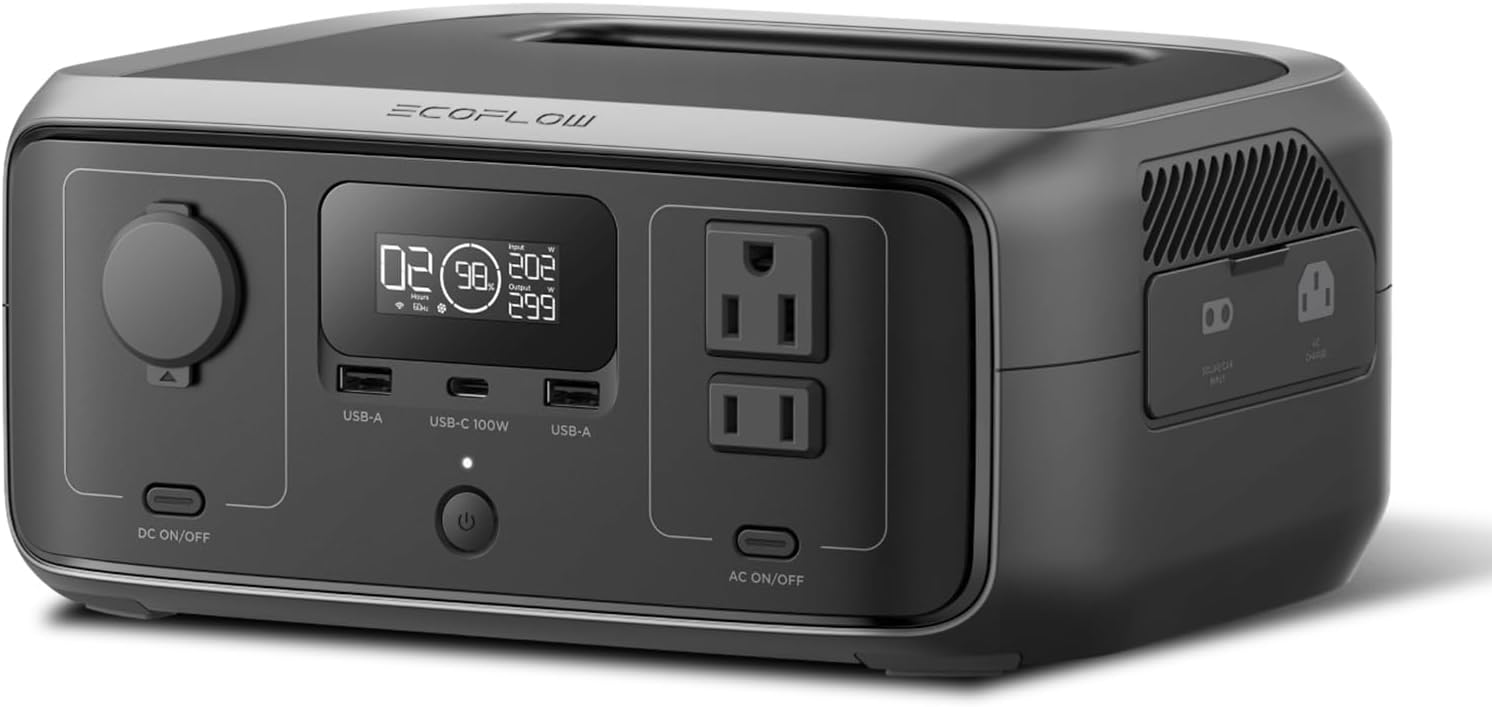
This is worth highlighting specifically because it’s not always the case in this category: one detailed independent test extracted 240-245Wh under moderate loads (100-300W) before the low battery cutoff — matching EcoFlow’s stated 245Wh capacity almost exactly. The same review specifically called this “refreshingly honest in a market where capacity inflation is common,” a meaningful vote of confidence in EcoFlow’s stated specs for this particular unit.
Real-World Runtime by Device
| Device | Draw | Tested Runtime |
|---|---|---|
| Laptop (65W MacBook Pro) | 65W | 3.5-4 hours continuous |
| CPAP (ResMed AirSense 10) | ~35W average | 6-7 hours (a full night plus buffer) |
| LED camping setup (lantern + string lights + phone) | ~30W combined | 8+ hours |
These figures come from actual measured testing rather than theoretical math, and align closely with what you’d expect applying standard inverter efficiency to the confirmed 245Wh usable capacity.
Charging Speed — Fast, With One Real Caveat
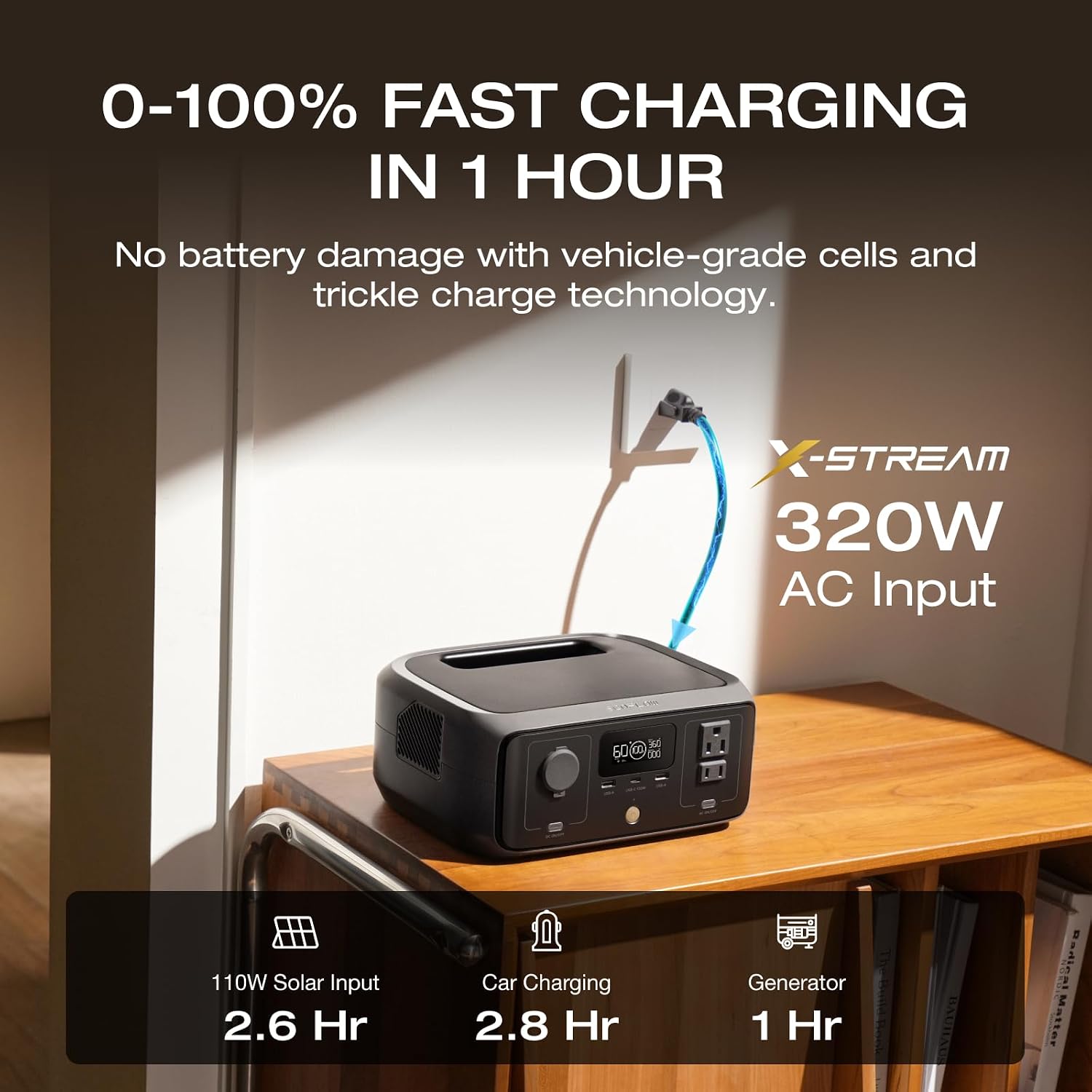
Multiple independent testers confirmed EcoFlow’s roughly 1-hour full AC charge claim as accurate — one reviewer specifically measured 322W draw at fast charging mode, going from empty to full in under an hour, and another confirmed 30% to full during a quick lunch stop.
The honest caveat: solar charging is a different story. At least one detailed reviewer reported a firmware-related issue affecting solar charging reliability specifically, describing it as a problem “EcoFlow has been slow to address,” and suggested the older River 2 Pro has proven more reliable for solar charging use cases. If solar charging is your primary use case rather than an occasional supplement to AC charging, this is worth researching further via recent owner reports and current firmware version before assuming trouble-free operation. At the rated 110W max solar input, a full charge takes roughly 2.6 hours in ideal conditions regardless of the reported firmware concern.
UPS Function — Confirmed Working in Real Testing
The sub-20ms UPS switchover isn’t just a spec-sheet number — multiple independent testers specifically validated it in real home backup scenarios, with a Wi-Fi router and security camera staying online without any flicker or interruption during simulated outages. One long-term owner specifically described keeping an older River model plugged into their router and cameras precisely for this reason, calling it their standard practice for staying connected through brief outages.
Build Quality and Design
Independent reviewers consistently praise the build quality, with one review specifically noting “the sheer build quality is downright remarkable” compared to competitors at a similar price. IP54 water resistance handles splashes and dust reasonably well for outdoor use, and the matte gray and black finish resists fingerprints better than glossier competitors’ units.
A real port limitation worth knowing: the River 3 includes only one USB-C port, albeit rated at a genuinely useful 100W. In a world where most devices worth carrying are now USB-C, charging a laptop, tablet, and phone simultaneously means either rotating devices through the single port or bringing your own multi-port USB-C charger to plug into one of the AC outlets instead.
Cold Weather Consideration
Like all LiFePO4 batteries, the River 3 doesn’t perform as well in cold conditions — charging below freezing temperatures is generally not recommended for any LFP battery, including this one, and capacity delivery can be somewhat reduced in cold weather even during discharge. If you’re planning cold-weather camping or storing the unit somewhere unheated in winter, factor this into your expectations rather than assuming identical performance year-round.
Honest Pros and Cons
Pros: Independently confirmed accurate 245Wh capacity (no inflation), genuinely fast ~1 hour AC charge time, validated sub-20ms UPS switchover in real router/camera testing, remarkably solid build quality, quiet under 30dB fan operation, lightweight at ~7.7 lbs
Cons: Only one USB-C port despite most modern devices using that connector, at least one reviewer reported a solar charging firmware issue EcoFlow has been slow to address, 300W continuous output limits higher-draw appliances, LiFePO4 cold-weather charging limitations apply as with any LFP unit
Who Should Buy the River 3
Best for:
- Apartment dwellers and renters wanting light backup for a router, phone charging, and small devices during brief outages
- Weekend campers charging phones, running LED lighting, and powering a CPAP overnight
- Buyers who want genuine LiFePO4 longevity at an accessible entry price point
- Anyone who primarily charges via AC and doesn’t depend heavily on solar input
Consider the River 3 Plus instead if:
- You need the higher 600W continuous output and 1,200W surge for more demanding devices
- The extra capacity (286Wh vs 245Wh) and faster sub-10ms UPS matter to your use case
Consider a larger EcoFlow unit if:
- Solar charging is your primary method and reliability there is a priority — see our best EcoFlow solar generator guide for the full lineup
- You need to run a fridge or higher-draw appliances — see our EcoFlow DELTA 3 Plus review for the next capacity tier up
Frequently Asked Questions
What’s the difference between the EcoFlow River 3 and River 3 Plus?
The base River 3 has 245Wh capacity and 300W continuous output (600W X-Boost surge). The River 3 Plus steps up to 286Wh capacity and 600W continuous output (1,200W X-Boost surge), and is somewhat heavier at roughly 10.4 lbs versus the base model’s ~7.7 lbs. A meaningful amount of online content conflates the two, so double-check which specific model any review is actually describing.
Is the EcoFlow River 3’s capacity actually 245Wh in real use?
Yes — independent testing extracted 240-245Wh under moderate loads before the low battery cutoff, matching EcoFlow’s stated capacity closely. This is a genuinely honest number in a product category where capacity inflation is common.
Does the EcoFlow River 3 have solar charging issues?
At least one detailed reviewer reported a firmware-related reliability issue specifically affecting solar charging, describing it as a problem EcoFlow has been slow to resolve. If solar charging is central to your use case, research current firmware status and recent owner reports before relying on it heavily.
Can the River 3 run a CPAP machine overnight?
Yes — independent testing with a ResMed AirSense 10 (drawing roughly 35W average) achieved 6-7 hours of runtime, covering a full night with some buffer. Higher-draw CPAP configurations with a heated humidifier would reduce this runtime somewhat.
How fast does the EcoFlow River 3 charge?
Multiple independent tests confirmed roughly 1-hour full charge via AC using EcoFlow’s X-Stream fast charging, with one reviewer measuring 322W draw at peak charging speed. Solar charging at the 110W maximum input takes about 2.6 hours for a full charge in ideal conditions, setting aside the firmware reliability concern noted above.
The Bottom Line
The base EcoFlow River 3 delivers exactly what it promises — an honestly rated 245Wh of LiFePO4 capacity, genuinely fast AC charging, and a validated UPS function that works as advertised in real testing. The main limitations are a single USB-C port and a reported solar charging firmware issue worth researching further if that’s your primary charging method. Just make sure any review or spec sheet you’re comparing against is actually describing this base model and not the higher-capacity River 3 Plus — the two get conflated online more often than they should.
Check the EcoFlow River 3 on Amazon →
For the full EcoFlow lineup, see our best EcoFlow solar generator guide. For a higher-capacity option, our EcoFlow DELTA 3 Plus review covers the next step up. For CPAP-specific sizing across brands, see our solar generator for CPAP guide.